Introduction: The Catalyst
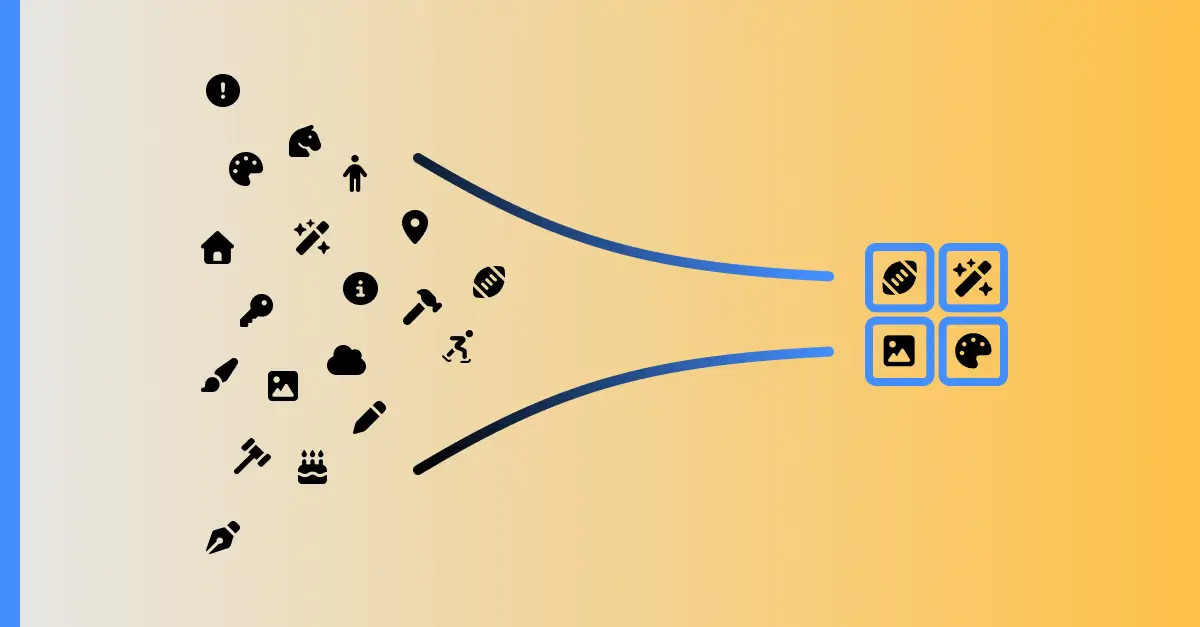
During a performance audit aimed at improving our application’s Core Web Vitals, I discovered the FontAwesome icons were occupying ~144KB approximately in the bundler. This increased the initial rendering for my users across my multiple applications as FontAwesome is part of my core technologies. That made me question myself: “Is it acceptable in 2025 for just a handful of icons to load 144KB?”. That question made me remember other things which I’ve been considering normal.
Deconstructing the Problem: Beyond Just File Size
I started reviewing in detail the bundle of my project. Looking for every piece of FontAwesome, I noticed the next parts:
- @fortawesome/fontawesome-svg-core ~115.26kb
- @fortawesome/free-solid-svg-icons ~16.15kb
- @fortawesome/free-regular-svg-icons ~1.99kb
- @fortawesome/free-brands-svg-icons ~1.49kb
- @fortawesome/react-font-awesome ~9.86kb
In total 144.75kb. Solid, Regular and Brand are the problem; I don’t require all the icons.
That motivated me to design a new solution which fixes the tree shaking. Additionally, I decided to improve the next pain points:
- avoid initial .css setup to display the icons with correct size
- avoid installing different libraries when I change to other technologies
- avoid installing multiple libraries to have all the icons
- solve the lack of important icons like the loader
The Architectural Vision: The 3 Non-Negotiable Pillars
To solve this problem from its root, I defined my 3 Pillars:
- Perfect icon level tree shaking: the user should import any icon without additional setups.
- Agnostic library: the user should install it in any JS Framework.
- Extensible by the community: there could be a system governed by the community to facilitate the definition, integration, and publishing of high-quality icons.
The Systemic Solution: Building the Ecosystem
Choosing the Foundation
First of all, I compared other icon libraries across the years but I couldn’t find an option which offers high-quality icons, great variety, and consistency. The best one is FontAwesome with 2,089 icons in its free version; the second place is IonicIcons with only 1,300 icons, so I took Font Awesome as a base.
Architecting the System: Monorepo & Automation
As this project has community extensibility, I require it to be open source. So I created a monorepo with the next parts:
apps
  - docs       // landing page and icon browser
  - benchmarks // environment to recreate my measures
packages
  - icons.     // the agnostic & perfect icon level tree shaking package
I started moving the free version of FontAwesome icons into a base folder and I created another folder for the community. The structure is the next:
assets
  - base     // the font awesome icons here
    - solid
    - regular
    - brands
  - community // the community icons here
    - solid
    - regular
    - brands
    - gradient // we can add other styles if is required
I noticed it would be hard work writing the importing expression one by one to have the svg into a variable, so I created a script called sync which iterates over the folder structure and writes a file with the import and export expression, just one line per icon, with the next exported name:
- prefix:
svg - name: icon name
- postfix: type of icon like
solid,regularandbrand
resulting in: svgHomeSolid.
Delivering the Icon: Web Components & DX
This approach simplifies the autocomplete to be meaningful. Just write svg and see the whole list, or maybe only the name, or maybe only the type of the icon. With that, we have enabled default Icon-level tree shaking.
Now it is time to render the icons. I considered using it across many JS libraries, which would require creating a wrapper for every library like React, Svelte, etc., but that approach doesn’t follow the best DX of just installing one library. The best agnostic technology is web components, and at the same time, I keep the maintainability simple. So I defined an EvIcon class which receives the svg as a string through props and it is used in this way: <ev-icon icon={svgIcon}/>. I’ve been thinking about how to make it work on HTML, but I think there is no simple way and in modern web development we tend to use libraries with JSX, so my purpose was complete here with Agnostic JSX.
Then I needed to make it more usable by allowing the icon to be modified. Font Awesome and other libraries have some custom props, but let’s simplify it more. We tend to use Tailwind more these days. Going more advanced, the best DX would be to not touch anything. The icon should inherit the properties. To achieve that, I allowed sending the classes to the host of the web component, and the svg will inherit from it. So if you use it in a button and it has font-size: 40px and color: royalBlue, your icons will have those properties. If you need to customize, just send the classes like this: <ev-icon svg={svgHomeIcon} class="text-bg-blue-500 text-4xl">
An unexpected improvement
Just before the launch, I noticed a crucial problem: some icons were cut. After inspecting them I realized they were designed out of its view box. As quick solution, I searched for other set of icons of FA, I found other with 640x640 view box. However, it had padding that made the icons look smaller. This made me realize that to deliver a truly high-quality library, I couldn’t rely on the source files. I had to enforce consistency myself. I’ve refactored my sync script with:
- Analyzes and cleans the SVG, removing unused properties.
- Calculates its true dimensions and perfectly scales it to fit a consistent 512x512 space, eliminating both clipping and padding issues.
- Finds and merges duplicates by generating a unique “fingerprint” for each icon’s final geometry.
This new pipeline not only guaranteed quality but also had a surprising impact on efficiency. By eliminating duplicates and optimizing metadata, the final size of the published NPM package was reduced by over 1MB.
Building for a Community
Now it’s time to make this technology more accessible. I’ve created the landing page and the browser icons with the help of the contributor: Rogocita.
I noticed another interesting challenge here. The common solution would be to make a request to an endpoint to search the icons with a query, but that could create a bottleneck if many users make a request. So I added a function into the initial sync script to generate metadata with the name and path of icons, then copy the icons into the public folder of the docs. With this approach:
- The browser can search an icon locally without making a request.
- I can update the icons in the package and, by running the sync command, it will propagate the changes to
docs/public. - The icons can be cached by a CDN.
Then I formalized the 💡 New Icon Request (RFC), where the community can define ideas for new icons. Then we will discuss if this is meaningful or if this is an edge case. If the icon adds real value, we will create an issue. Here a designer can design it following some rules, based on the next section. Then the designer can copy the icon into the /community folder, run the sync command and create the PR. We will evaluate if the icons have quality and are optimized. After that, we will merge the PR and make it available in the package and the /browser icons.
The First Proof: Adding a Community Icon
Finally, I needed to prove the package by adding a new icon. I created on Figma the Loader I always need, then I copied it directly and I noticed some rules to create the best icons:
- Don’t use gradients; instead, we can use solid colors with different tonalities.
- We can minimize the SVG with svgomg.
- We need to make the properties like color fill inherit.
- We need to define the icons as 512x512.
The Proof: Performance by Design
Now the funny part, I want to see the numbers.
To validate the design, I created the benchmark, which is a Vite/React app to simulate a real-world app with 32 icons. Then I created the build and I previewed it in an incognito tab to inspect it. First, I reviewed the bundle analyzer:
| Library | Bundle Size (gzip) | Reduction |
|---|---|---|
@fortawesome libs in react | ~144.75 KB | - |
@ev-forge/icons | ~34.36 KB | ~74.88% |
Then I inspected Lighthouse:
| Metric | @fortawesome libs in react | @ev-forge/icons |
|---|---|---|
| First Contentful Paint (FCP) | 1.5 s | 1.4 s |
| Largest Contentful Paint (LCP) | 1.8 s | 1.8 s |
| Total Blocking Time (TBT) | 0 ms | 60 ms |
As we can see, the TBT with @ev-forge/icons is 60ms. I decided to understand why. I opened the profiler and I noticed a small task which is the initial web component register, then 32 micro-tasks which are the instances of the class and the primitive operations to render the icon.
 After this. I’m defining the next improvement: I will create a micro runtime to render the icons in small sets, that should remove the TBT and enable rendering of large amount of icons.
conclusion
As this project satisfies my 3 pillars, it has become one of my core technologies, enabling maintainability and quality across multiple projects. I have tested it on Next.js, Astro, Vite/React, and Astro with React. And currently, I’m using it on my personal web page where you are reading this.
I hope this will be helpful to someone and I invite everyone to collaborate on this project to create the most complete icon library with high quality and efficiency, built by the community and for the community.
- Landing page: https://icons.jimynicanor.com/
- Browser icons: https://icons.jimynicanor.com/browser/
- Repository https://github.com/ev-forge/icons